Billing
Tonet uses a prepaid balance model. You add funds to your account, and charges are deducted automatically based on your plan. No contracts, no surprise invoices.
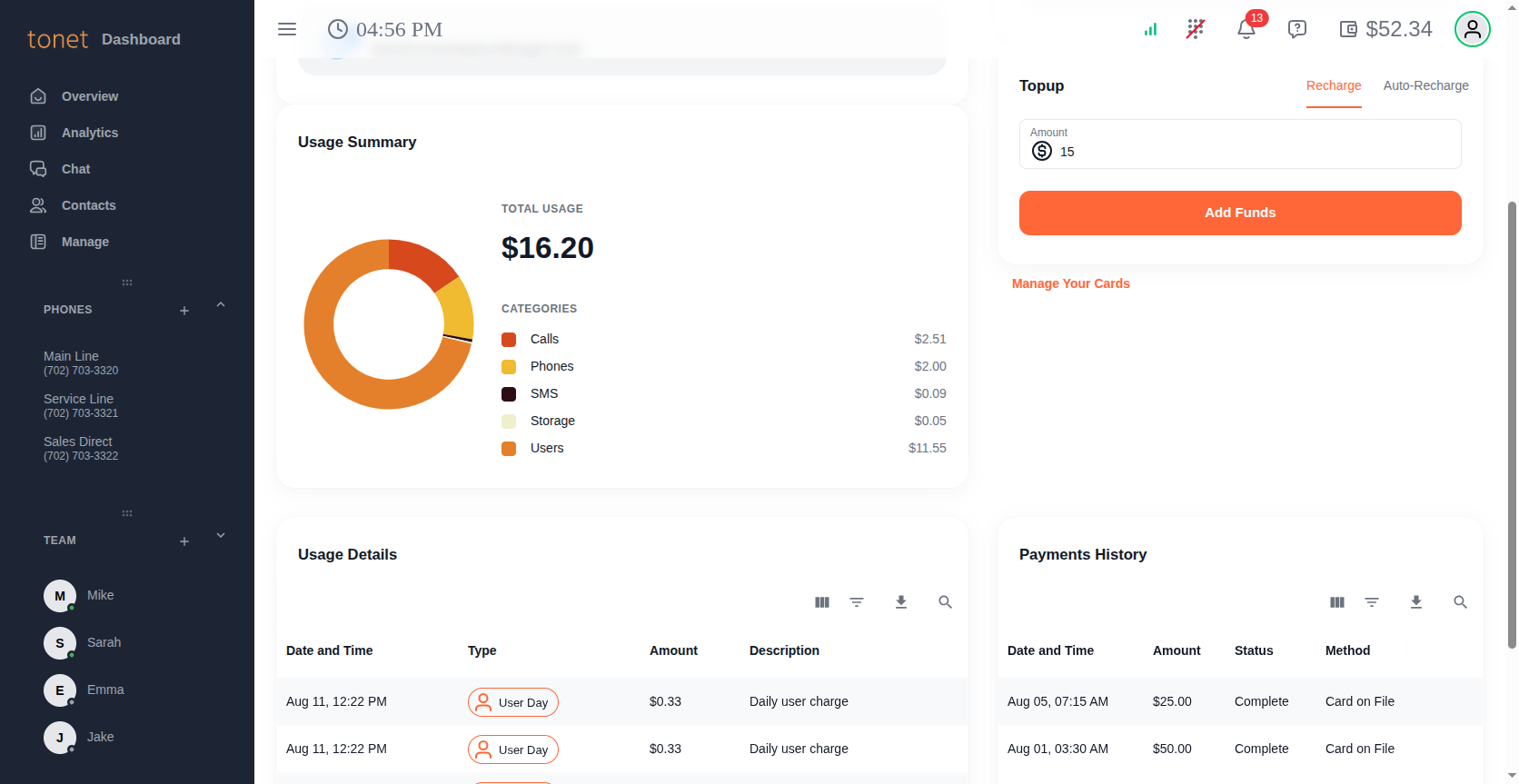
Go to Account > Billing to manage your billing. Use the Billing Month dropdown to view charges and payments from any previous month.
Account Information
Shows your business name and email address on file.
Payment Method
Click Manage Your Cards to add a credit or debit card, update expiration dates, or remove cards. This opens a secure Authorize.net window - Tonet never sees or stores your full card number.
If you have multiple cards, swipe between them. The currently displayed card is the one used for top-ups.
Topup
Top up manually or set up automatic recharging.
Recharge
Enter the amount you want to add to your balance (minimum $15) and click Add Funds. The charge goes to your currently selected card.
If a payment is declined, you'll need to wait 30 seconds before retrying.
Auto-Recharge
Toggle Auto Recharge on to automatically top up your account when your balance gets low. Two fields appear:
- Balance Falls - The threshold that triggers a recharge. When your balance drops to this amount, a top-up is initiated automatically.
- Recharge To - The amount your balance is brought back up to. Must be at least $10 more than the Balance Falls threshold.
Click Confirm to save your auto-recharge settings. You can toggle it off at any time.
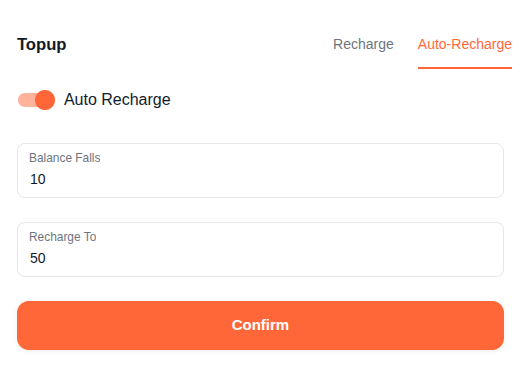
Auto-recharge prevents service interruptions. If your balance hits zero, outbound calls and SMS stop working until you add funds. Setting a threshold like $5 with a recharge-to of $25 keeps your system running without manual intervention.
Usage Summary
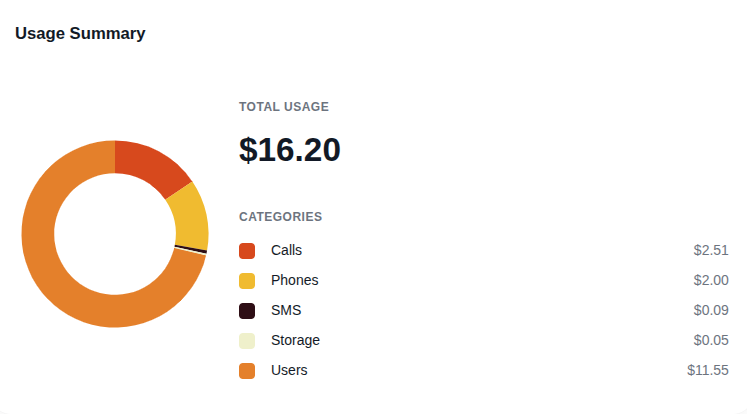
Your spending breakdown for the selected month, shown as a donut chart with totals per category:
| Category | What it covers |
|---|---|
| Users | Daily per-user charge based on your plan |
| Calls | Inbound and outbound call minutes |
| SMS | Inbound and outbound text messages |
| Phones | New number purchases, toll-free numbers, and monthly number maintenance |
| Storage | Call recording storage |
| Other | Any charges that don't fit the above categories |
Usage Details
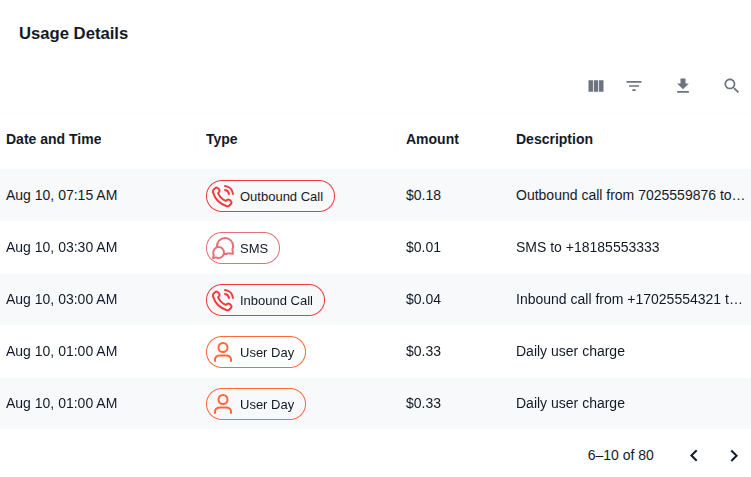
Every individual charge on your account for the selected month, exportable to a spreadsheet.
| Column | Description |
|---|---|
| Date and Time | When the charge occurred |
| Type | Inbound Call, Outbound Call, Tollfree Call, SMS, User Day, Number Maintenance, New Number, New Toll-Free Number, Storage, Setup Fee, or Other |
| Amount | The dollar amount deducted |
| Description | Details like the phone number called or the user charged |
Payment History
Every payment made to your account:
| Column | Description |
|---|---|
| Date and Time | When the payment was processed |
| Amount | The dollar amount charged to your card |
| Status | Whether the payment was approved or declined |
| Method | The payment method used |
Declined payments flash red briefly so you can spot issues quickly.
How Billing Works
Charges are deducted from your prepaid balance as you go. What you're charged for depends on your plan - check Usage Details for a full breakdown at any time.
When your balance gets low, top up manually or let auto-recharge handle it. If your balance hits zero, outbound calls and SMS stop working until you add funds.